

OrderGroove
Integrate OrderGroove with Revaly to automate failed payment recovery and optimize subscription retention.
Introduction
This guide shows you how to connect OrderGroove to Revaly so we can start managing your failed payment recovery. Most of the setup is handled by our team, we just need you to take care of a few quick steps in your OrderGroove account to get things running.
Revaly Setup
This part of the integration is handled entirely by the Revaly team. There’s nothing you need to do here, but it’s important to understand what happens in the background before you move on to configuring your CRM.
Here’s what we take care of:
- Account Creation: A Revaly account is created for your business. This is required before any integration work can begin.
- Integration Enablement: One of our Enablement Project Managers will enable the integration module that allows Revaly to receive payment events and use our machine learning models to determine the best time to retry each failed payment. From there, the system takes care of scheduling and executing the retry automatically based on that recommendation. Once enabled, a Destination URL will be generated and provided to you.
ImportantWhile the integration module is enabled at this stage, it won’t be fully connected until we receive your OrderGroove API key. You’ll generate that key during the next step (CRM Configuration). Once it's shared with us, we will be able to generate the Webhook URL which will allow us to finalize the connection on our side.
CRM Configuration
The final step is to configure OrderGroove to send relevant events to Revaly and allow retries to be triggered when appropriate. This step is performed in your OrderGroove admin panel.
You will:
- Create and assign an API key that allows Revaly to execute retries and cancellations through OrderGroove’s API.
- Set up webhooks to notify Revaly of key payment events.
- Disable built-in retry logic to avoid conflicts between OrderGroove’s default behavior and Revaly’s recovery strategy.
1. Create an API Key for Revaly
- Navigate to your OrderGroove Admin Panel.
- Go to Developers → API Keys
- Click Create and generate an API Key for Revaly.
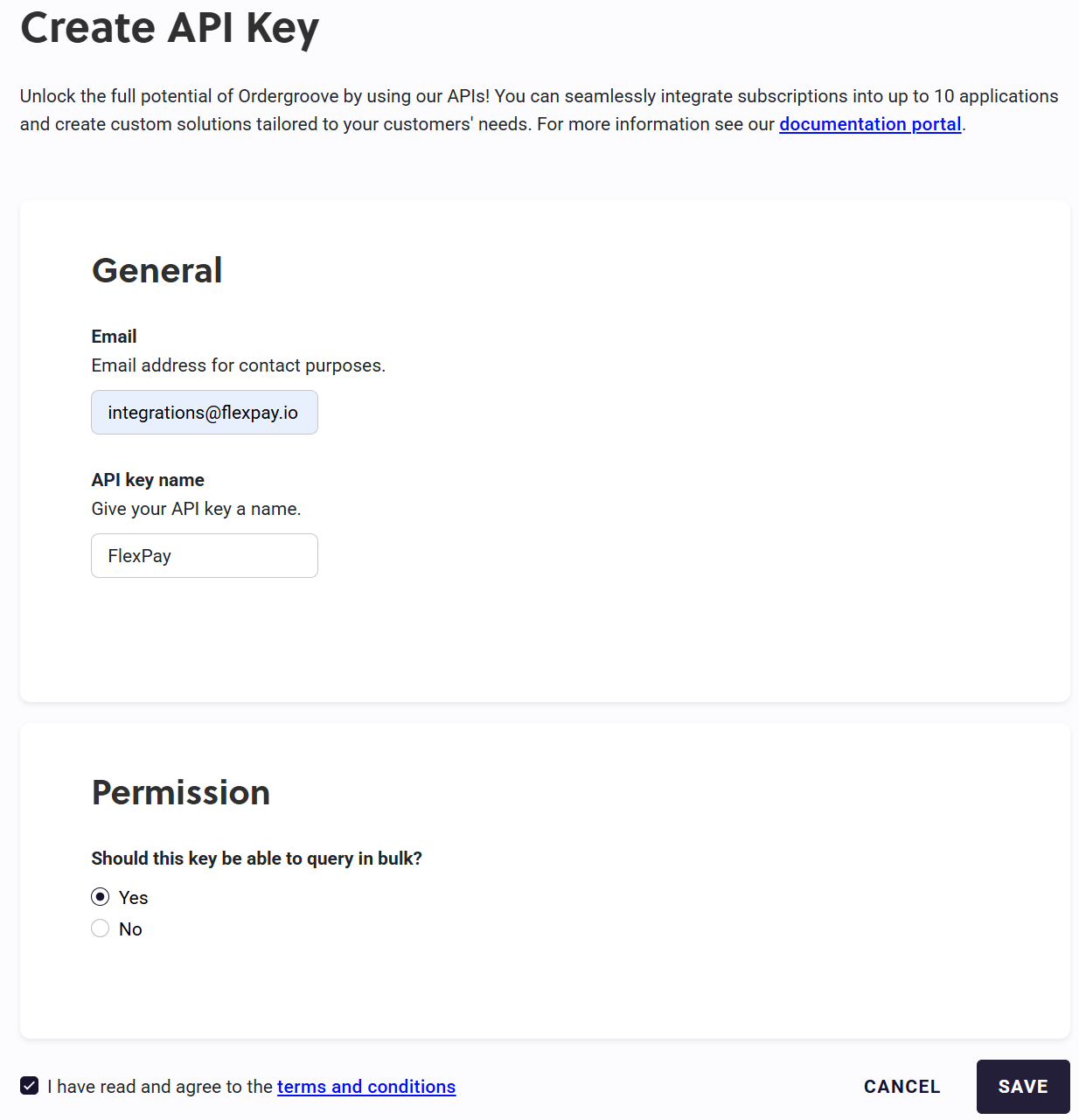
- After creating the API key, send it to your Revaly Project Manager so we can complete the connection on our end.
2. Configure Webhooks
Once Revaly has completed the connection, you will be provided with the Destination URL that will be needed to create the webhook in OrderGroove. This webhook is used to notify Revaly of specific events.
- In the OrderGroove Admin Panel, navigate to Developers → Webhooks.
- Click Create Webhoook.
- Enter Revaly as the name and the Destination URL provided by Revaly.
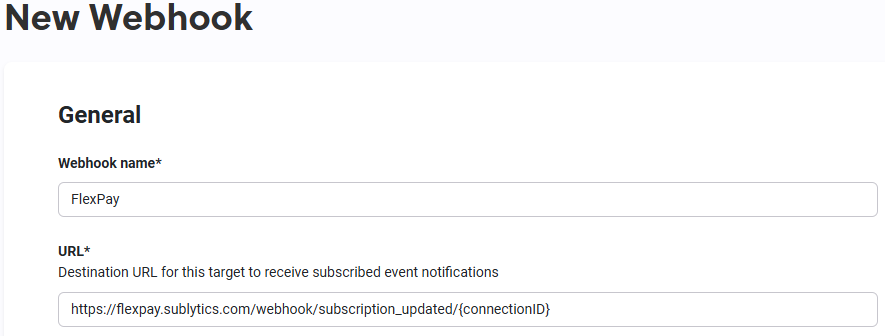
- Select the following events.
order.success, order.retryable_placement_failure, order.reject, order.generic_error
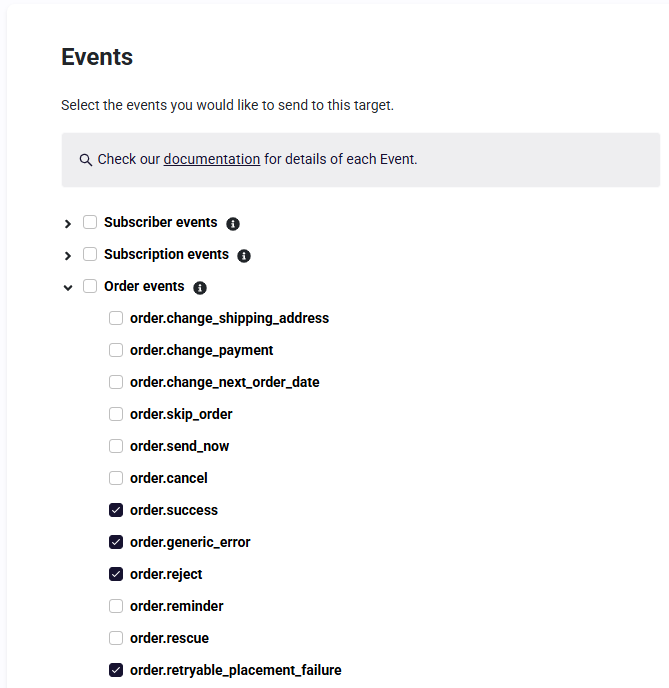
- Click Save.
These webhooks allow Revaly to track order status and determine when to take over payment recovery.
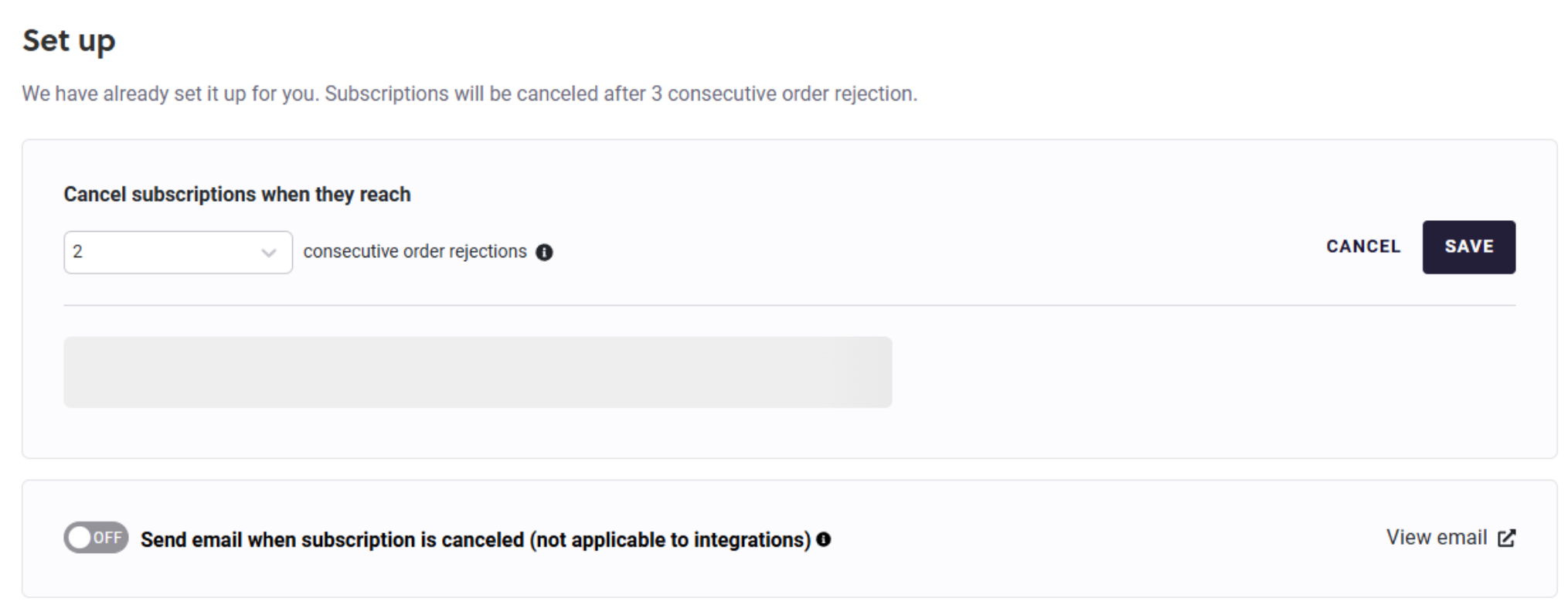
3. Configure Subscription Handling
- Navigate to Subscriptions → Disengaged Subscription.
- Set the disengaged subscription threshold to at least 2. This ensures the subscription remains active while Revaly attempts to collect payments using the Order Rescue API.
4. Adjust Payment Retry Settings
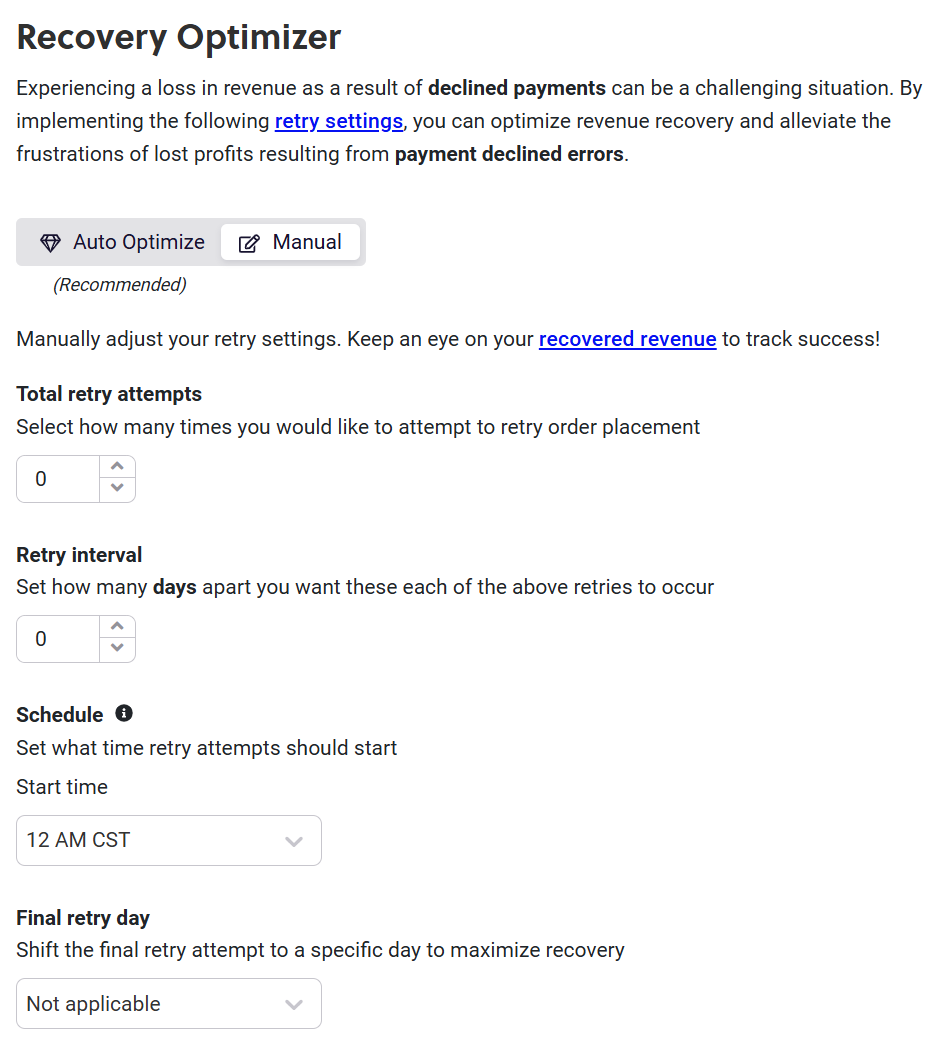
ImportantThis final step must be completed alongside the enabling of Revaly. Before adjusting the Recovery Optimizer to manual and setting retry attempts, please confirm with our team that Revaly is fully set up and ready to take over.
- Go to Settings → Payments.
- Change the Recovery Optimizer to Manual.
- Set Total Retry Attempts to 0. This ensures that failed orders immediately enter the Rejected state, allowing Revaly to manage retries. If an order is already in a Retry state, OrderGroove will attempt one final retry before Revaly takes over.
- Set Schedule → Start Time to 12 AM CST. This allows OrderGroove's final retry attempt to be processed before Revaly begins its recovery process.
- Click Save.
By following this configuration, OrderGroove will seamlessly integrate with Revaly to optimize payment recovery and reduce churn.
How Revaly Works
- When a webhook is triggered, Revaly refreshes the customer record and processes transactions.
- All Successful transactions are logged and reported to Revaly.
- If a transaction is declined and Revaly recommends a retry, Revaly will schedule an attempt using the Order Rescue API. Before retrying, we check that the subscription status is [live] => 1 and the order status is 3 (REJECTED).
- If Revaly determines that the decline should not be reattempted, there are two options:
- Cancel the subscription immediately.
- Allow the subscription to proceed through Disengaged Recovery.
Updated 8 months ago