

Set up a webhook endpoint, subscribe to events, and prepare your integration for production deliveries.
To receive webhook events from Revaly, you'll first need to create and configure a webhook endpoint. During setup, you'll select the events you want to receive, generate a signing secret for request verification, and validate that your endpoint can successfully accept and process webhook deliveries.
This guide walks through the setup process and outlines the recommended steps for preparing your integration for production use, including signature verification, event deduplication, and endpoint validation.
Create a Webhook Endpoint
In the Revaly Portal, navigate to Account Settings → Webhooks
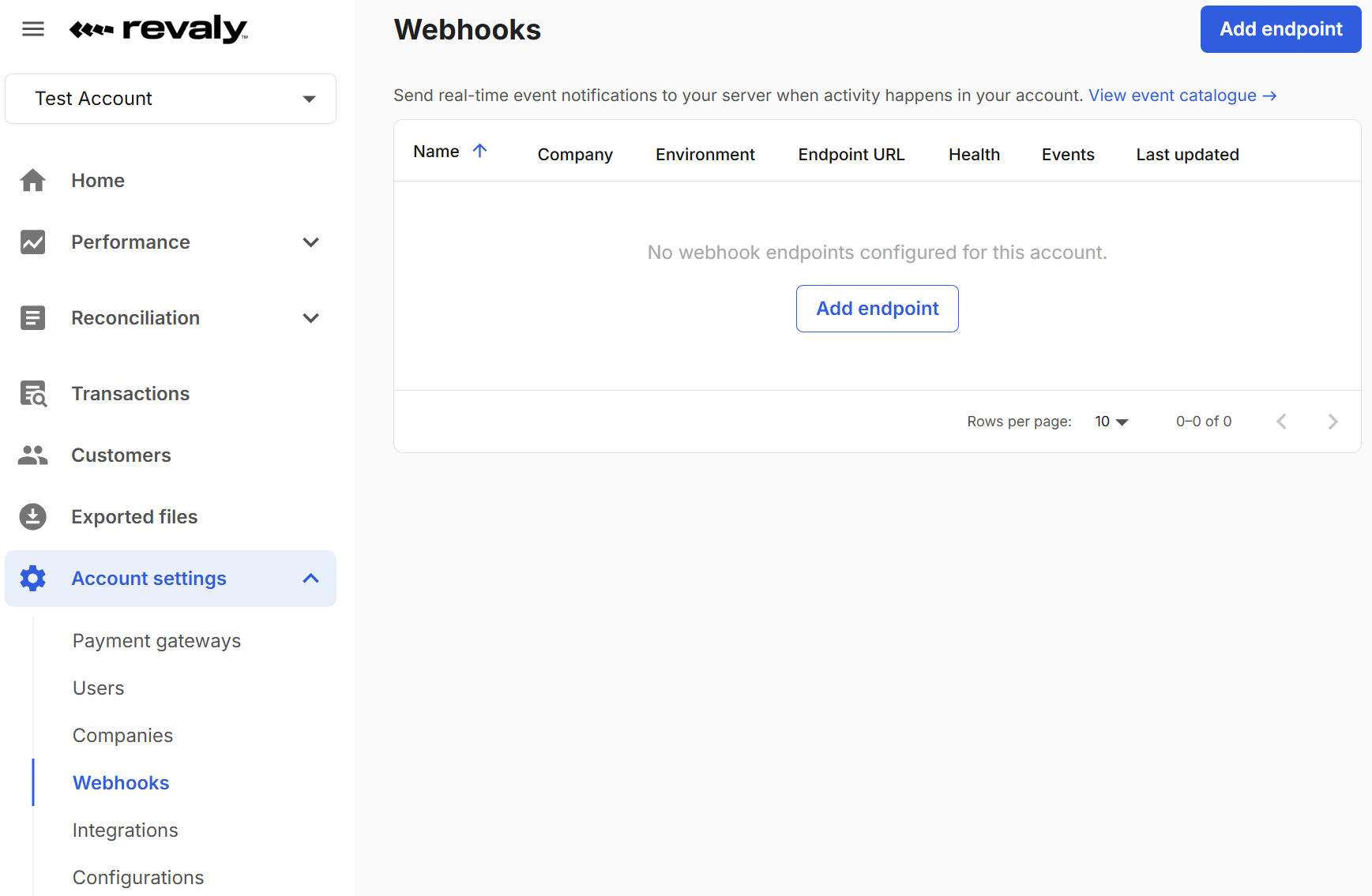
Click Add Endpoint and configure the endpoint:
-
Name: A label to identify this endpoint within your account.
-
Company: Events will be scoped to transactions belonging to this company.
-
Environment: Sandbox or Production
-
Endpoint URL: URL that will receive webhook events
-
Status: Active or Disabled
-
Event Types: Events you want to subscribe to.
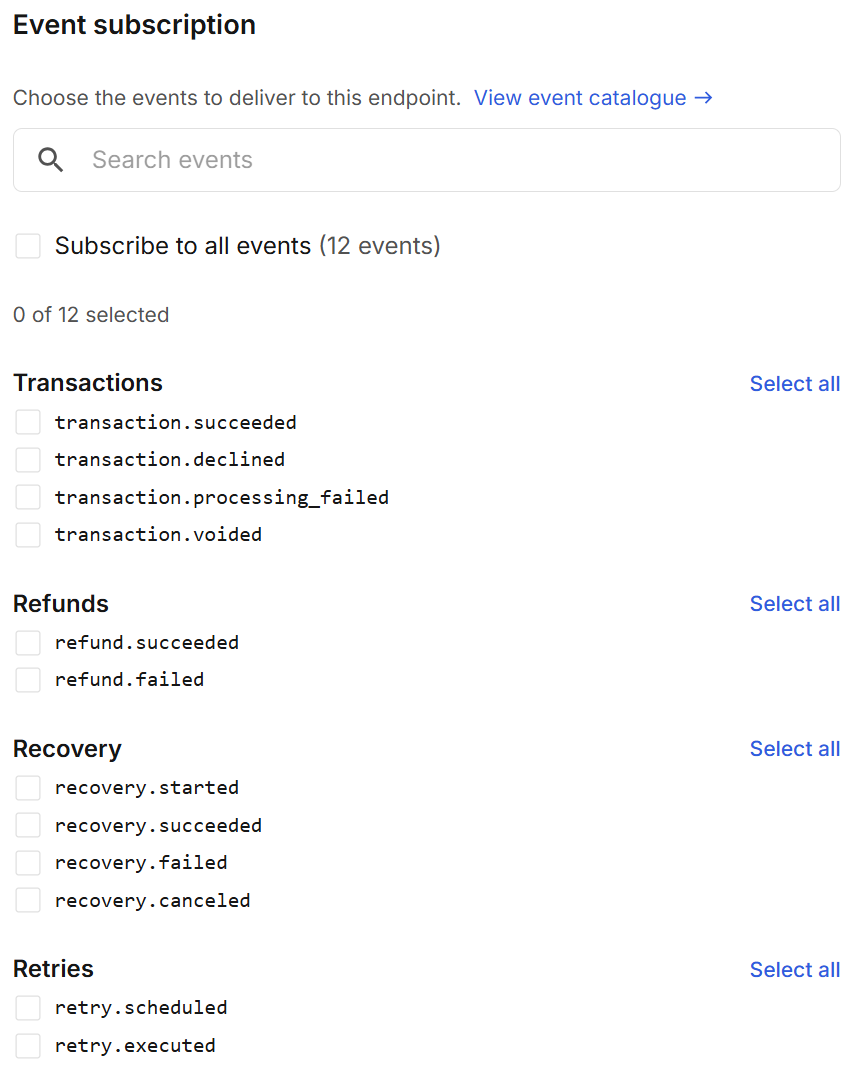
Click Save endpoint.
Store Your Signing Secret
After creating the endpoint, Revaly generates a webhook signing secret. This secret is used to verify that incoming webhook deliveries originate from Revaly.
If the secret is lost or compromised, generate a new secret from the endpoint configuration page.
Implement Signature Verification
Before processing webhook events, your application should validate the Revaly-Signature header. Signature verification ensures that incoming requests originated from Revaly and that the payload has not been modified in transit.
Webhook signatures help protect against:
- Forged requests
- Payload tampering
- Unauthorized event submissions
Detailed implementation examples are available in Verify Webhook Signatures.
Send a Test Event
Once your endpoint has been configured, use the Send test event option to validate that your application can successfully receive and process webhook deliveries.
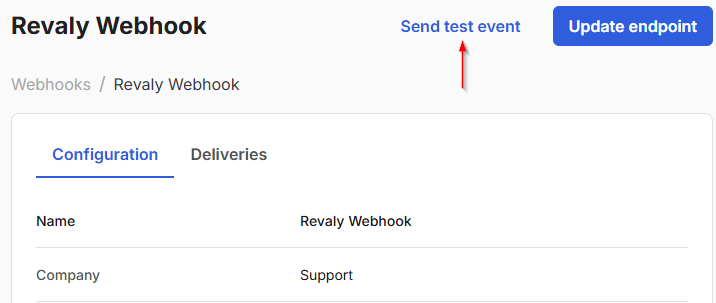
Choose one of the subscribed event types and send a test delivery.
Revaly generates a sample webhook event and delivers it to your endpoint using the same signature mechanism used for production traffic. Test events include "isTest": true so they can be safely distinguished from live activity.
After the delivery is completed, the portal displays the result, including the HTTP response status, response time, and delivery timestamp. Successful test deliveries help confirm that your endpoint is reachable, signature verification is configured correctly, and webhook processing is functioning as expected.
Verify Receipt
After sending a test event, confirm that your endpoint can successfully receive, validate, and process the webhook. A successful test should follow the same path that production events will use once the endpoint is live. Confirm that:
- Your endpoint received the request
- Signature verification succeeded
- Your application processed the event successfully
- Your endpoint returned a 2xx response
- The event appears in your application logs
We recommend testing the event types your integration will use in production and validating multiple successful deliveries before enabling production traffic.
Go Live
Once testing is complete and your endpoint is consistently receiving and processing test events successfully, you're ready to begin receiving production webhook deliveries.
Before going live, confirm that:
- The endpoint status is Active
- Your production endpoint is reachable
- Signature verification is enabled and functioning correctly
- You can monitor deliveries through the Deliveries tab
- Your endpoint is returning successful
2xxresponses
Once these checks are complete, your integration is ready to receive production webhook events.